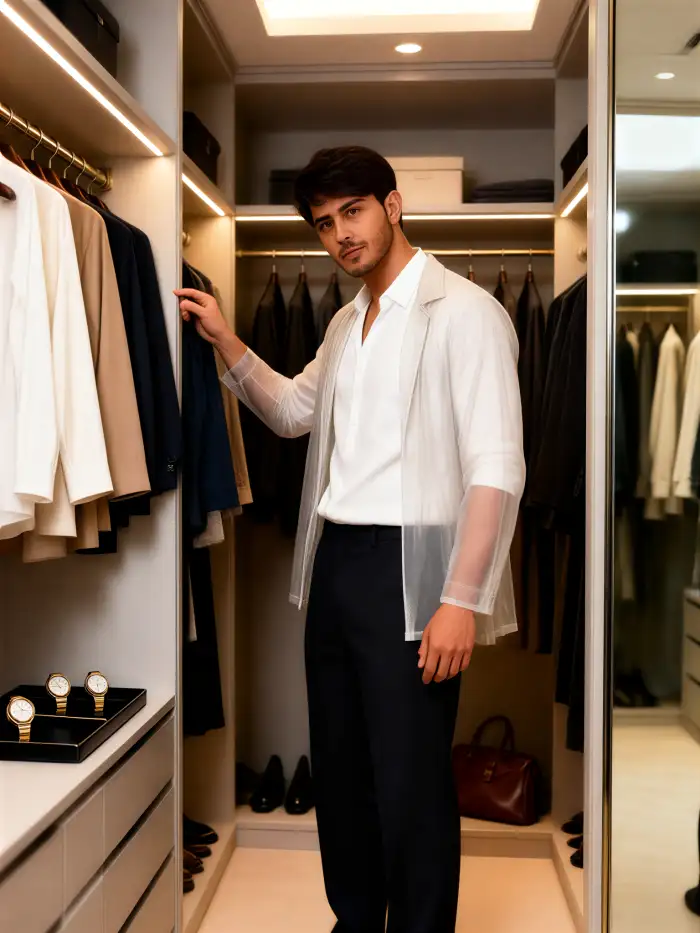
An AI virtual wardrobe can turn one portrait into many outfit images, but the phrase covers three different products: a digital closet that catalogues clothes you own, a generative AI image workflow that invents new looks around your identity, and a shopping try-on tool that places a specific product on your photo. For creative outfit planning, start with a clear full-body image, state exactly what must stay unchanged, generate several versions, and inspect the face, hands, garment construction and cultural details before keeping a result.
This guide focuses on AI image generation for Indian users: visualising saris, wedding looks, modest outfits, coordinated family clothing and creator-ready fashion concepts. It also explains where a generated wardrobe image stops being reliable. A convincing picture can help you choose a direction; it cannot prove the size, drape or comfort of a real garment.
What does "the AI virtual wardrobe" actually mean?
The useful first step is to match your goal to the right kind of AI product.
| Meaning | What you provide | What you get | Best use | Important limit |
|---|---|---|---|---|
| Digital closet | Photos of clothes you already own | A searchable catalogue and outfit combinations | Rewearing and planning existing clothes | It does not create a realistic photo of you in every look |
| Generative AI wardrobe | One or more portraits plus a style, effect or text prompt | New outfit images and styled scenes | Creative exploration, social posts and family concepts | Garment details may be invented |
| Product-specific virtual try-on | Your photo plus a particular product image | A visual estimate of that item on your body | Comparing silhouettes and colours before shopping | It is not a size or fit guarantee |
Photora belongs mainly in the second category. Its effect-led workflow can create a new person-centred scene while aiming to retain recognisable identity. That makes it relevant for a sari portrait, couple look or family occasion concept. It should not be treated as a body-measurement system or a promise that a listed garment will fit.
Decide what the AI image generator may change
A good AI wardrobe image is controlled transformation, not an unrestricted makeover. Divide the request into variables and invariants before you upload anything.
Variables are the elements you want the AI image generator to change: garment type, colour, fabric appearance, styling, accessories, location and lighting.
Invariants are the details that should remain stable: face shape, skin tone, hairline, body proportions, expression, pose, camera angle and the number of people.
This distinction matters because a broad request such as "put me in a beautiful wedding outfit" gives the model permission to redesign the person as well as the clothes. A stronger instruction names the garment and then protects identity and composition.
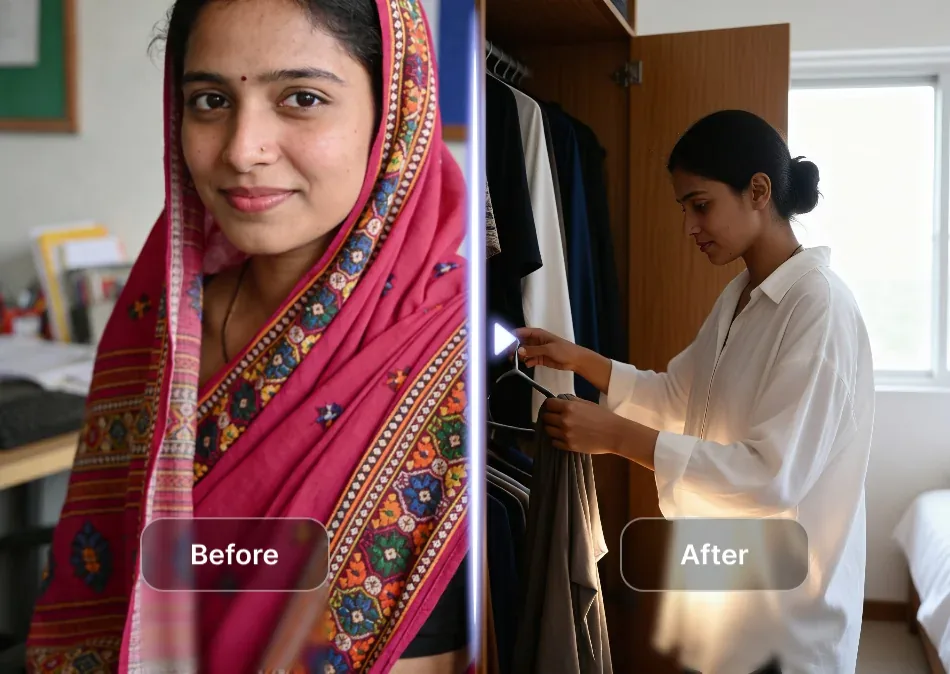
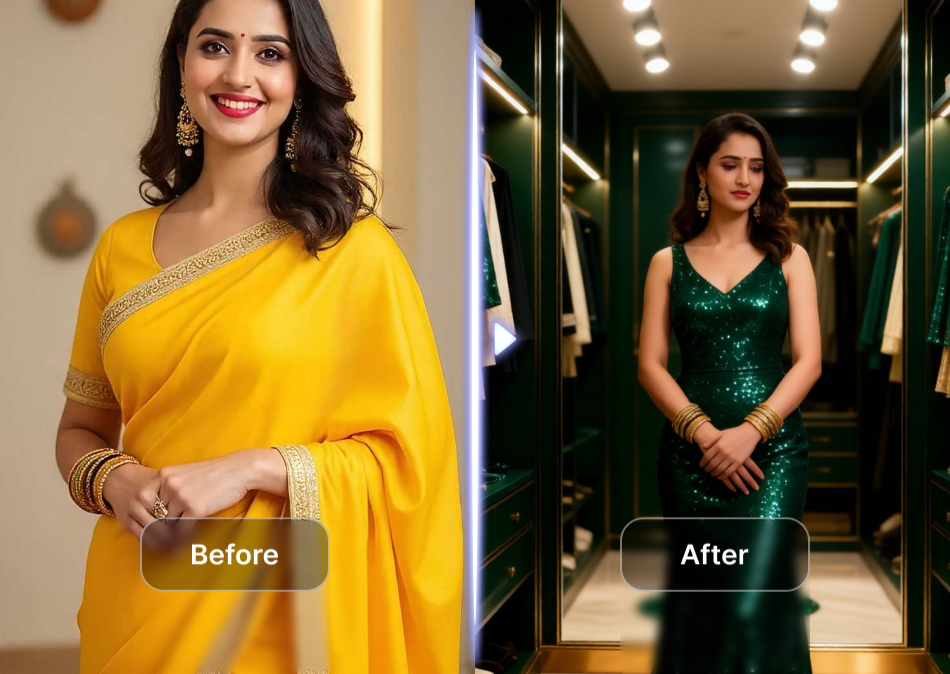
AI wardrobe example: the clothing and setting change substantially, so the face and body proportions need a separate identity check.
Prepare a photo that survives outfit generation
Use the highest-resolution original you have. A full-body or three-quarter portrait is usually more useful than a close crop because the AI needs to understand shoulders, waist, legs and how the garment meets the body.
Choose an input with:
- one clearly visible subject unless you are intentionally creating a couple or family look;
- even light across the face and clothing;
- hands visible and separated from the torso where possible;
- a simple background with clear body edges;
- a natural standing pose rather than crossed limbs or heavy occlusion;
- fitted or uncomplicated base clothing that reveals the silhouette without exposing private detail.
Use only photos you own or have permission to edit. For children, couples and family members, get consent before uploading or publishing the generated image.
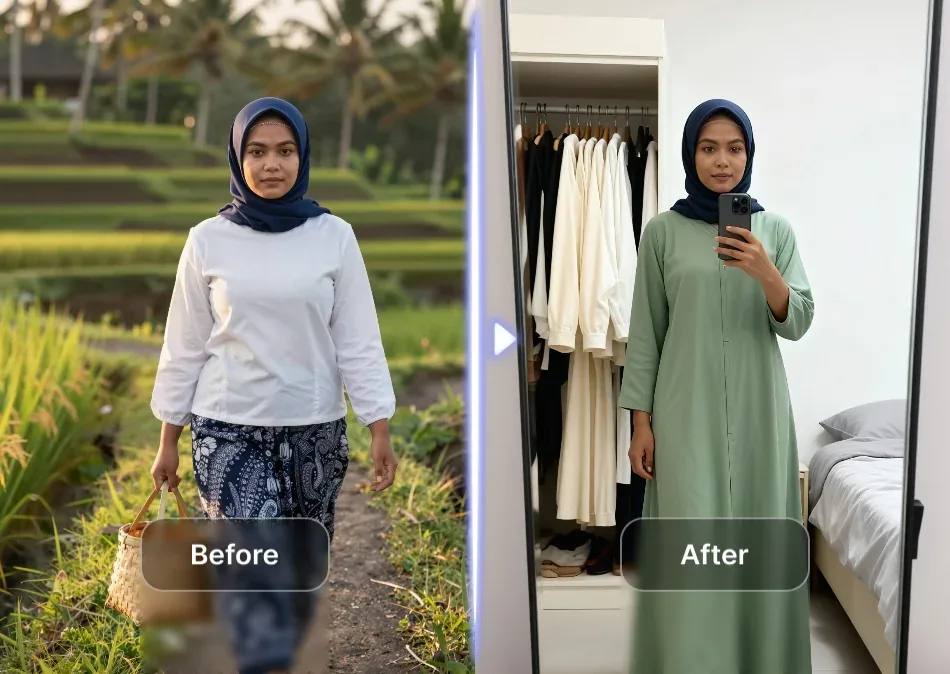
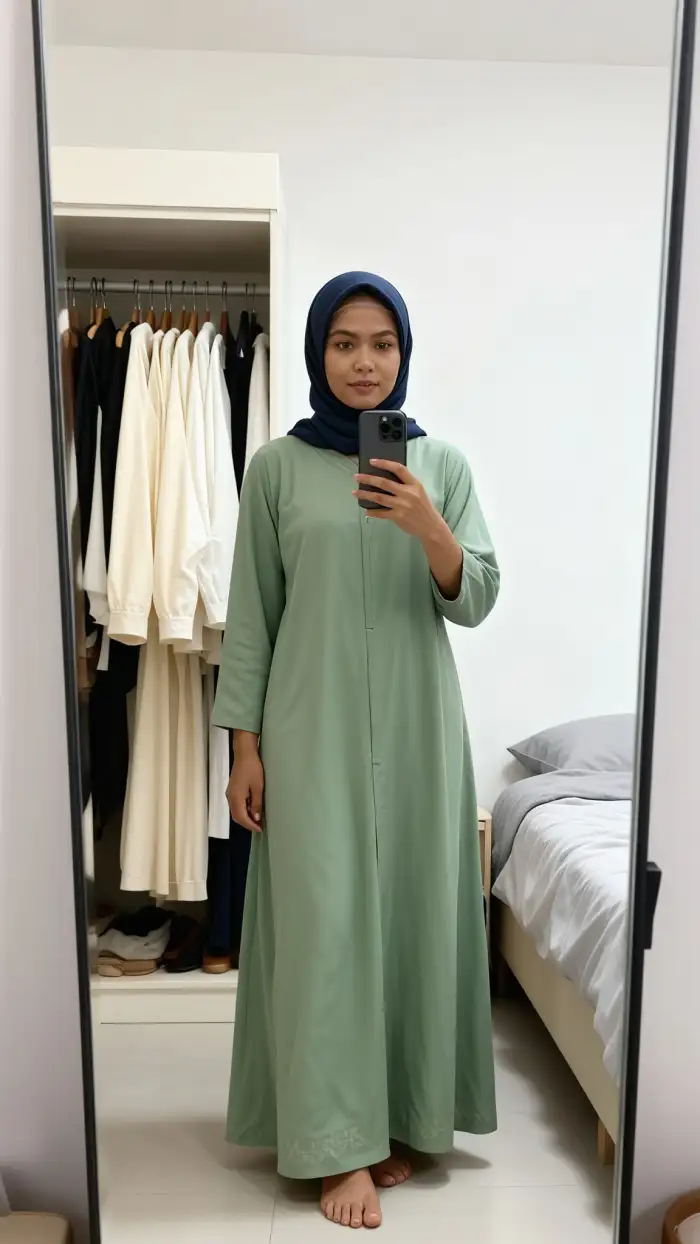
A clear front-facing pose helps the model keep the head covering and body position readable while changing the outfit and scene.
Build an AI virtual wardrobe in five steps
Step 1: Choose effect-led or reference-led generation
Use an effect-led workflow when you want a fast visual direction such as an Indian wedding portrait, a green sari look or a vintage couple scene. Use a reference-led workflow when a particular blouse, kurta, dress or jacket must guide the result.
Photora offers effect-led scenes. The published Green Sari Photo Shoot screen shows the basic pattern: review the example, upload your portrait, and generate a new result.
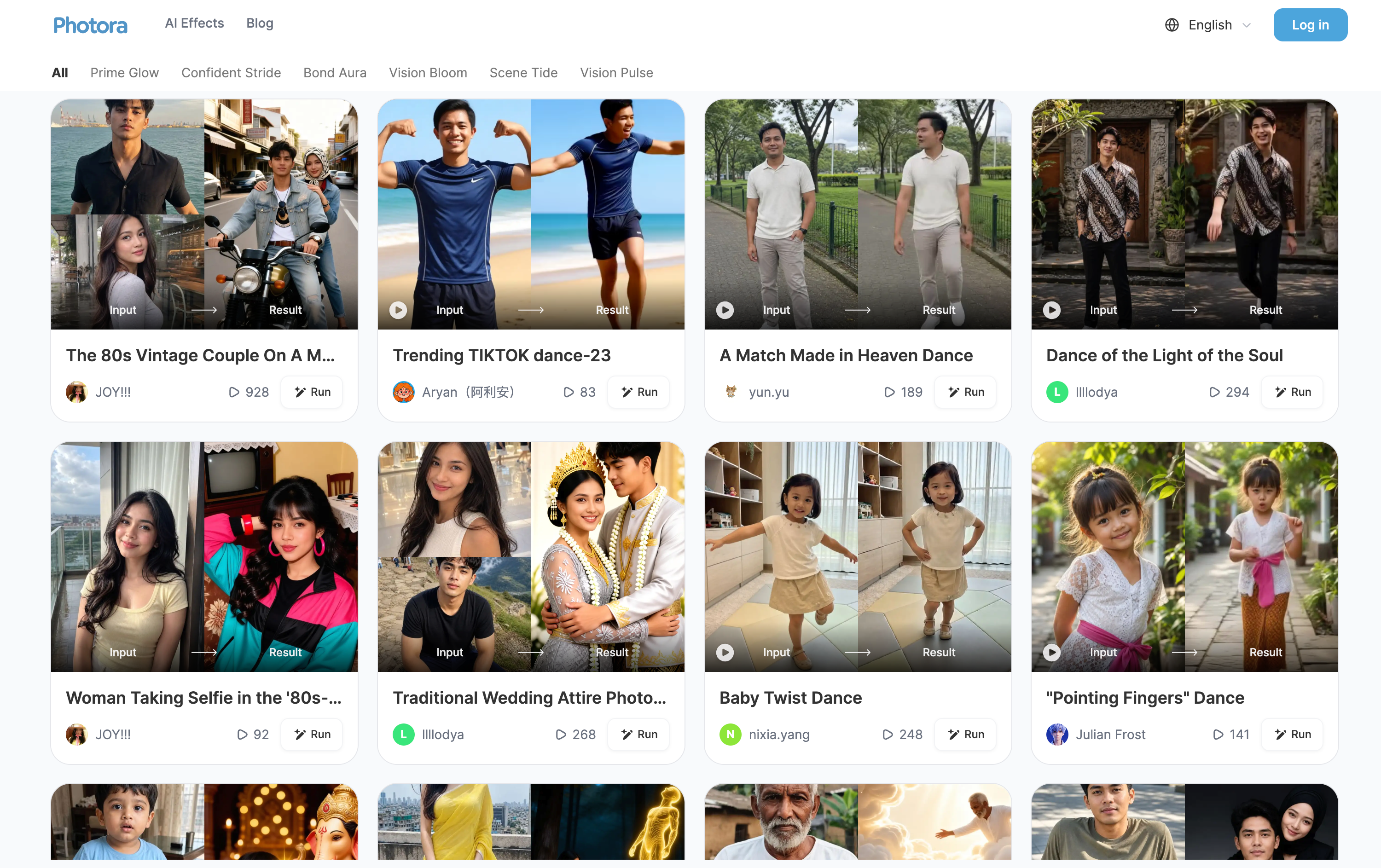
Photora's Green Sari Photo Shoot interface shows an effect-led input, result example, upload area and Generate action.
Effect-led generation is efficient, but the template controls more of the styling. Reference-led generation gives you more specificity, although even a strong reference does not guarantee exact borders, embroidery, buttons or fabric behaviour.
Step 2: Describe the outfit as a construction
Name the silhouette before the mood. For a sari, specify drape style, blouse sleeve, neckline, border, pallu placement and jewellery level. For menswear, specify jacket length, collar, shirt, trousers and footwear. For a modest outfit, state sleeve length, opacity, hem length and head-covering treatment.
Then add colour, material and occasion. "Emerald green silk sari with a narrow gold border, elbow-length blouse and restrained wedding jewellery" gives the AI more control than "luxury Indian look."
Step 3: Lock identity and composition
Tell the AI image generator to preserve the real face, skin tone, hairline, expression, body proportions, pose and camera angle. If it supports a reference image, use the clearest portrait as the identity source and the clothing image only as the style or garment reference.
For multiple people, name each subject by position: "person on the left," "child in the centre," or "partner on the right." This reduces the chance that clothing or facial features migrate between people.
Step 4: Generate variations, not one final image
Create at least four versions with the same instruction. Variation exposes instability: one result may preserve the face but break a hand, while another gets the garment right but changes body shape. Choose the least altered credible result rather than the most dramatic one.
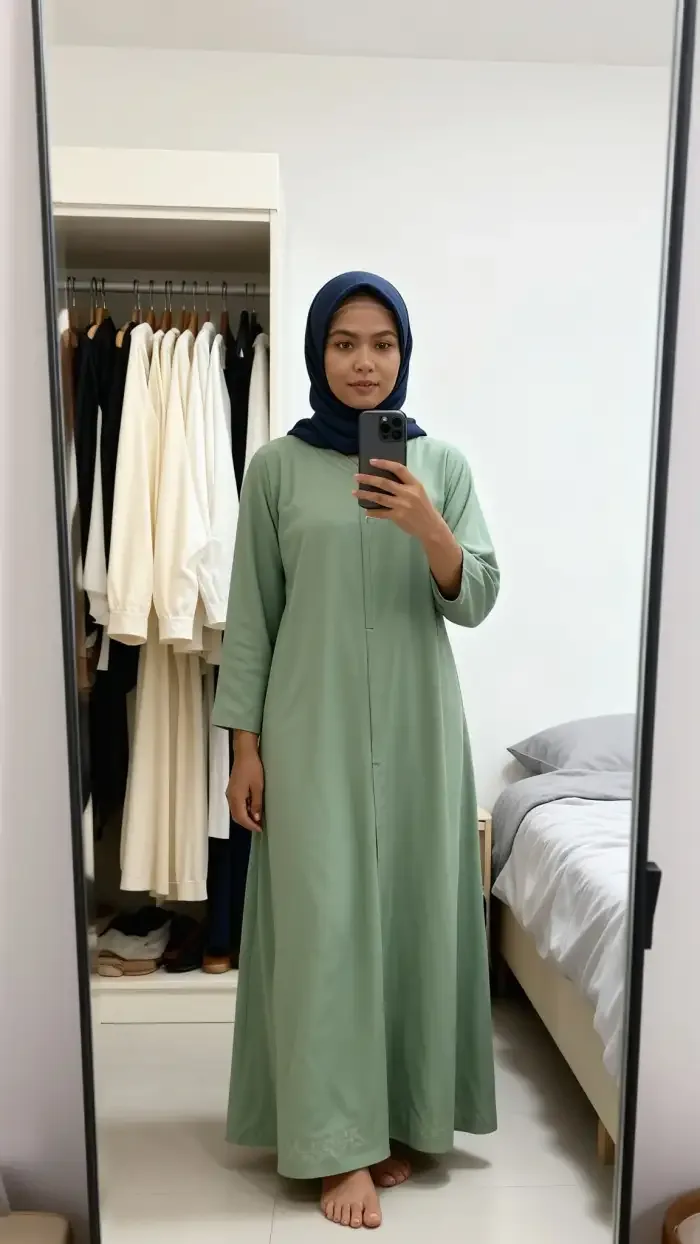
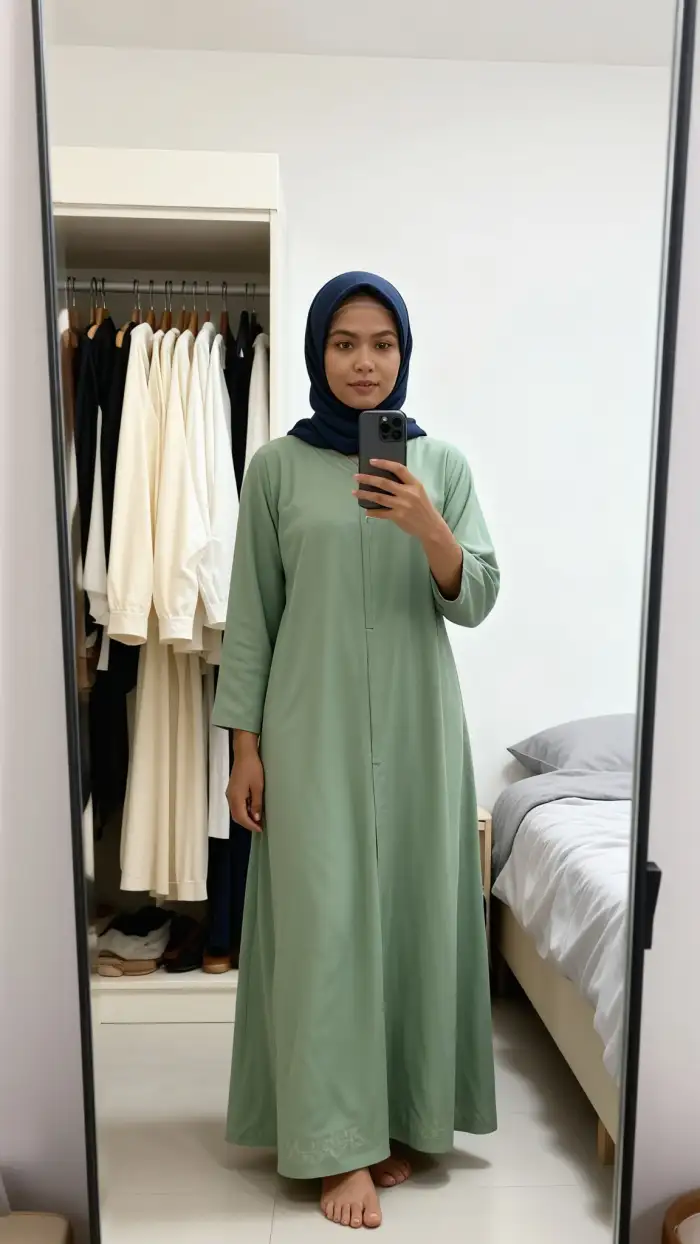
Result-only view: inspect facial identity, sleeve length, hem, hand-phone contact and mirror geometry before accepting the image.
Step 5: Review at face, garment and scene level
Check the face at 100%, then the garment construction, hands and feet, and finally the whole composition. Do not judge only from a small social-media preview. Export a copy rather than overwriting the input.
Copy-ready AI virtual wardrobe prompts
These prompts are designed for AI image generation. Replace the bracketed details and keep the preservation clauses.
Indian festive sari prompt
Create a realistic full-length portrait of the same woman wearing an [emerald green] [silk] sari with a [narrow gold] border, a [high-neck, elbow-length] blouse and restrained traditional jewellery. Use a natural Indian festive setting with warm indoor light. Preserve her exact face, skin tone, hairline, age, expression, body proportions, pose and camera angle. Keep both hands anatomically correct and visible. The sari drape, pallu, border and blouse must remain coherent. Do not beautify the face, change body shape, add extra jewellery or alter the background outside the requested scene.
Modest everyday outfit prompt
Change only the clothing to a [sage green] ankle-length modest dress with opaque fabric, long sleeves, a simple straight silhouette and minimal detailing. Keep the same head covering, face, skin tone, body proportions and front-facing pose. Preserve the original camera height and natural expression. Make the sleeve joins, cuffs, hem and fabric folds physically consistent. Do not expose hair, reshape the body, add logos or change identity.
Men's evening look prompt
Generate the same man in a contemporary Indian evening look: [black tailored bandhgala jacket], matching trousers and polished black shoes in a refined wardrobe setting. Preserve the exact face, hairstyle, skin tone, height, build, pose and camera perspective. Keep hands, jacket closure, collar, pockets and trouser seams coherent. Use realistic warm light. Do not change facial hair, widen the shoulders, add accessories or invent text.
Coordinated family prompt
Create a realistic family portrait with the same people and the same left-to-right arrangement. Dress them in coordinated [ivory, maroon and muted gold] Indian festive outfits without making every garment identical. Preserve every person's face, age, skin tone, hairstyle, body proportions and relationship to the others. Keep all hands visible, clothing boundaries separate and jewellery culturally coherent. Do not merge faces, swap identities, add people or change the family composition.
Retry instruction for identity drift
Retry the image using the original portrait as the identity reference. Restore the exact face shape, eyes, nose, mouth, skin tone, hairline, age and body proportions. Change only the requested outfit and setting. Keep the original pose and camera angle. Remove invented facial detail, extra fingers, warped fabric edges and inconsistent accessories.
Diagnose an AI image result before using it
Use this rejection checklist on every generated image:
- Identity drift: the eyes, face width, skin tone, hairline or age no longer match the input.
- Body reshaping: shoulders, waist, height or limb length change without being requested.
- Garment hallucination: borders, prints, buttons, transparency or jewellery appear inconsistently.
- Broken anatomy: fingers merge, a hand disappears, feet twist or limbs intersect the garment.
- Drape errors: a sari pallu, dupatta or hijab begins and ends impossibly.
- Cultural mismatch: jewellery, wedding styling or garment construction combines unrelated details carelessly.
- Lighting conflict: face, clothing and background cast shadows in different directions.
- Scene leakage: the wardrobe, mirror or furniture bends around the subject.
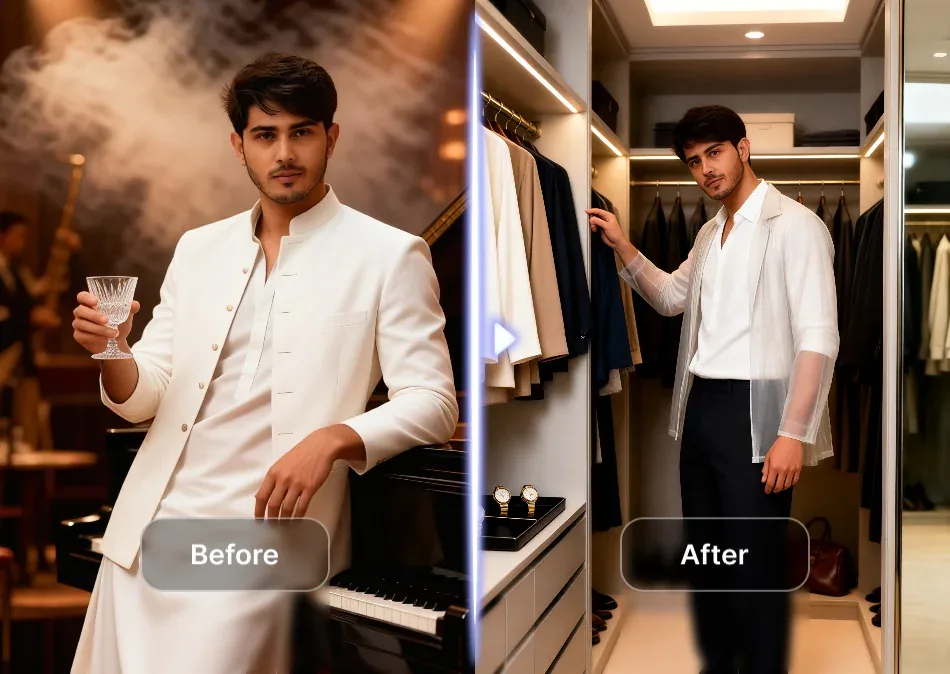
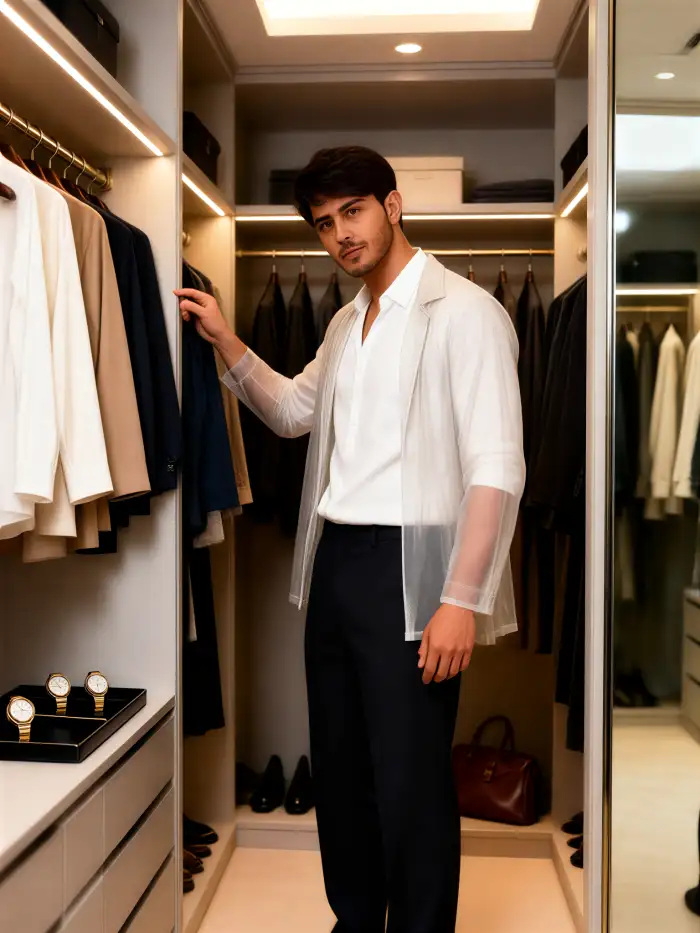
Diagnostic example: compare the face first, then inspect the transparent outer layer, hand shape, clothing edges and wardrobe lines.
If a result fails, do not simply repeat the same broad prompt. Protect the failed detail explicitly, simplify the scene, or change only one variable at a time. A tighter prompt is usually more useful than adding more style adjectives.
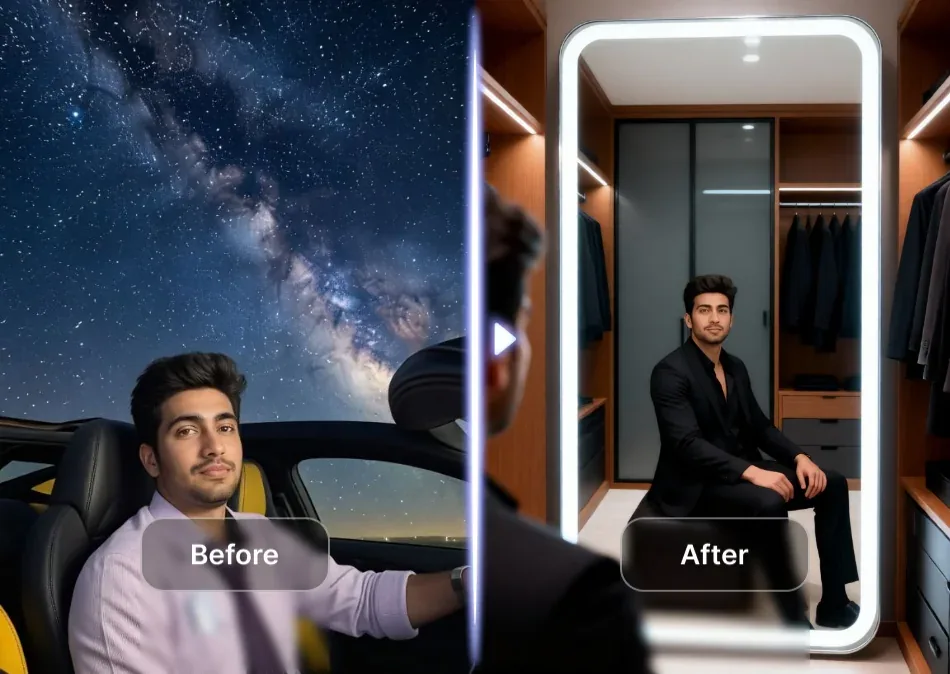
A dramatic setting change can still work for a wardrobe concept, but the mirror, seated pose, suit construction and original identity all require review.
Use an AI image wardrobe for inspiration, not fit proof
An AI-generated outfit can answer creative questions: Does this colour suit the portrait? Should the family palette be warm or cool? Does a high collar support the mood? Would a sari, lehenga, kurta set or bandhgala fit the visual concept?
It cannot reliably answer physical questions that require the real garment and body measurements.
| An AI wardrobe image can help with | It cannot prove |
|---|---|
| Colour and styling direction | Correct size |
| Occasion and mood | Comfort or mobility |
| Broad silhouette comparison | Exact drape on the real fabric |
| Coordinated couple or family palette | Stitching and alteration needs |
| Social-media or invitation concepts | Authenticity of a product listing |
For shopping, confirm the seller's size chart, fabric composition, return policy, customer photos and reviews. Treat product-specific virtual try-on as another visual clue, not a measurement.
Where Photora fits
Photora is designed for creating a new portrait or relationship scene from one or more people photos while attempting to preserve recognisable identity. Its Indian-facing effects, including a green sari portrait, make it a practical starting point for festive concepts, couple images and family memory scenes. The workflow is most relevant when you want a styled generated image rather than a catalogue of clothes you already own.
Start with a clear portrait, pick an effect close to the intended occasion, and compare the generated face and clothing against the source before sharing. Explore Photora's current effects and use the published page to confirm current availability, usage terms and any pricing shown at the time.
Frequently asked questions
Is an AI virtual wardrobe the same as virtual try-on?
Not always. A virtual wardrobe may catalogue clothes, generate new outfit images or simulate a specific product. Virtual try-on usually refers to placing a selected item on a person's image. Check what the tool actually accepts and what its output represents.
Can I make an AI wardrobe from one photo?
Yes. A clear full-body or three-quarter portrait can support many generative outfit variations. A second identity photo may help when the face is small, angled or partly covered.
What is the best photo for AI outfit generation?
Use a sharp, well-lit image with a visible face, simple background, uncrossed limbs and clear body edges. Full-body images are best when hem length, footwear or overall silhouette matters.
Can AI show whether a sari or dress will fit?
It can visualise a look, colour and broad silhouette, but it cannot confirm real sizing, tailoring, fabric weight, comfort or movement. Use measurements and seller information for purchase decisions.
How do I keep my face unchanged?
Use the clearest portrait as the identity reference, state the facial and body features that must remain fixed, avoid beauty language, generate several options and reject identity drift even when the outfit looks attractive.
Can I create coordinated family outfits?
Yes. Keep the number and order of people fixed, describe one shared palette, assign a garment to each position, and explicitly prevent face swapping, merged bodies and identical copy-pasted clothing.
Build the wardrobe one controlled image at a time
The most useful AI virtual wardrobe is not the one with the largest number of random looks. It is the one that keeps your identity stable while changing a well-defined outfit variable. Start with a strong portrait, choose effect-led or reference-led generation, write construction-level prompts, compare several results and reject facial, anatomical or garment errors. Use the final image to explore a direction, then return to real measurements and product information before making a purchase.
